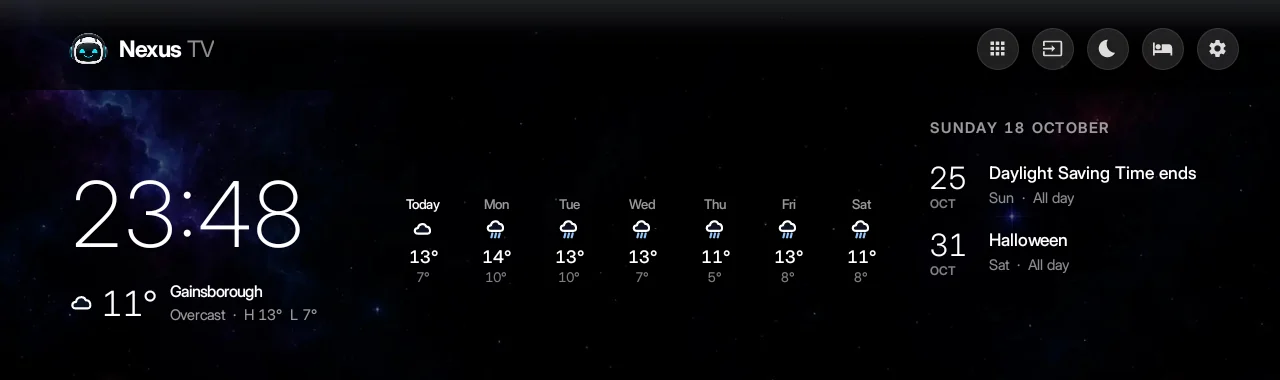
Glanceable, not busy.
A big clock, today’s weather and the week ahead, and your next calendar events, floating on a still, starry background. No boxes, no adverts, nothing shouting at you.
 Nexus TV
A free home screen for Android TV. The time, weather and your day float on the glass like a smart mirror, and every app, input and Nexus favourite is one press away.
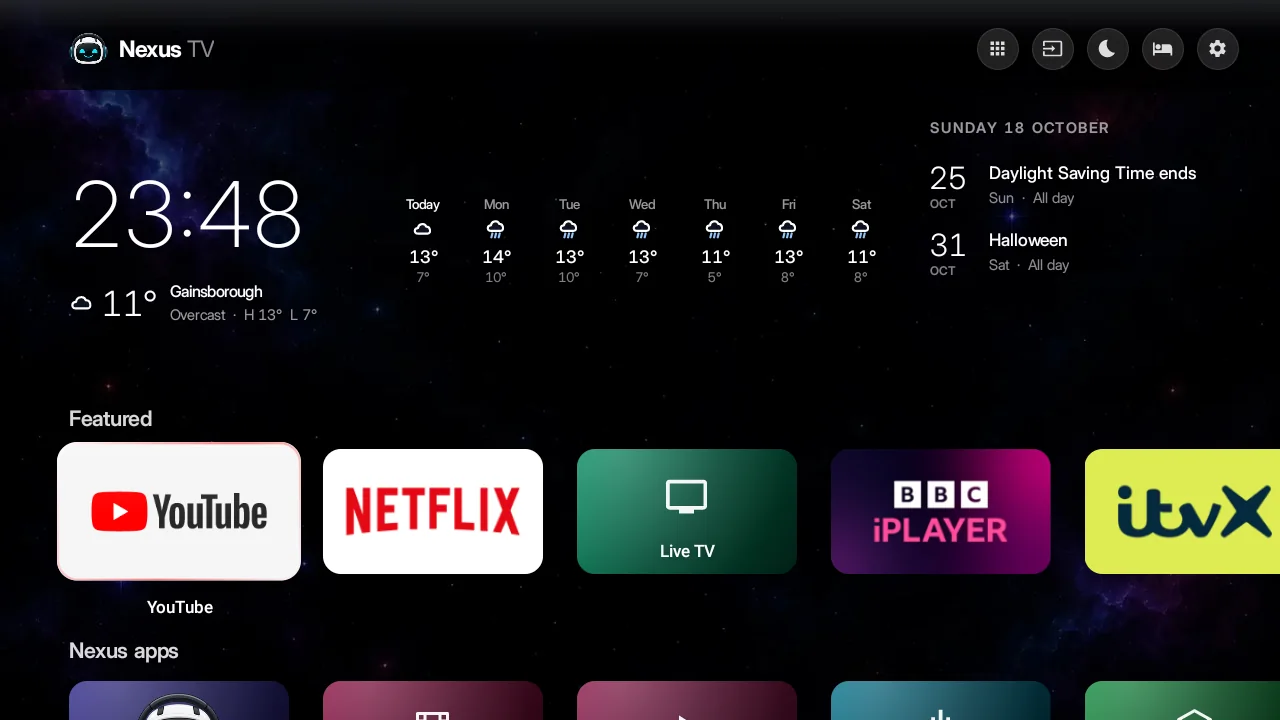
A big clock, today’s weather and the week ahead, and your next calendar events, floating on a still, starry background. No boxes, no adverts, nothing shouting at you.
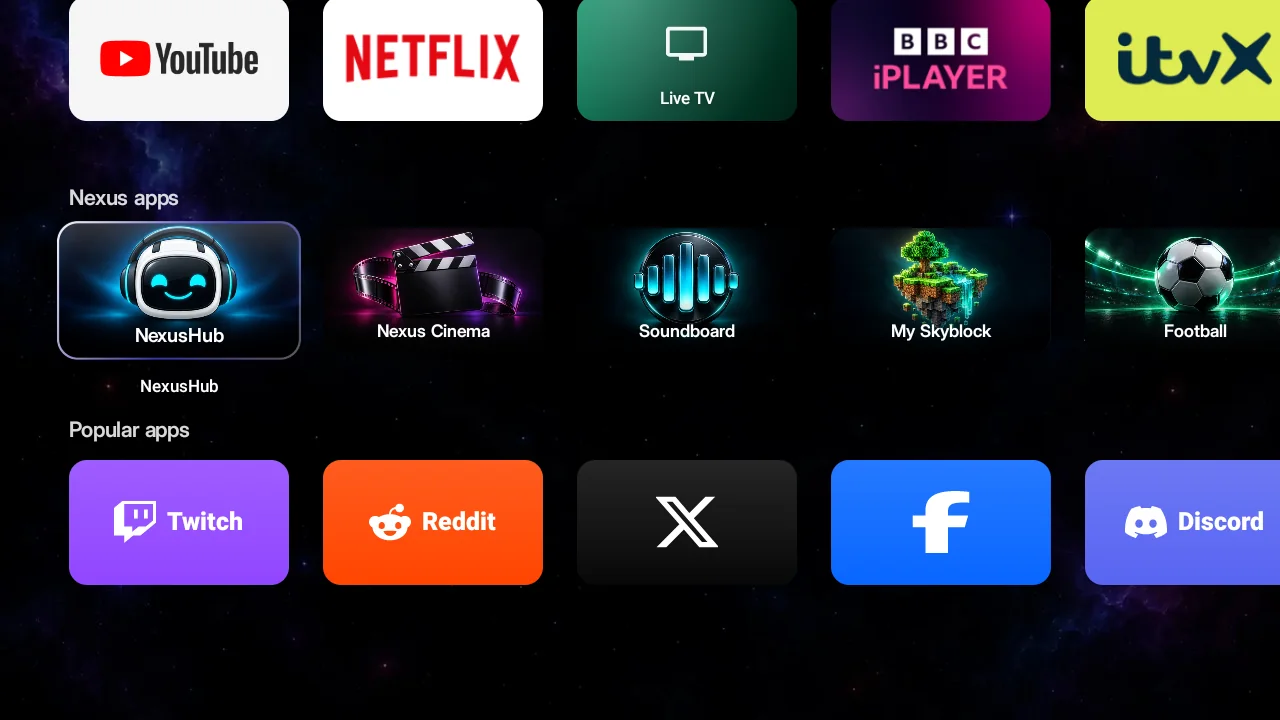
Featured, Nexus and Popular rows with real logos, a Recently used row that fills itself, and a searchable library. Hold OK to pin, move or hide anything. Nothing gets uninstalled.
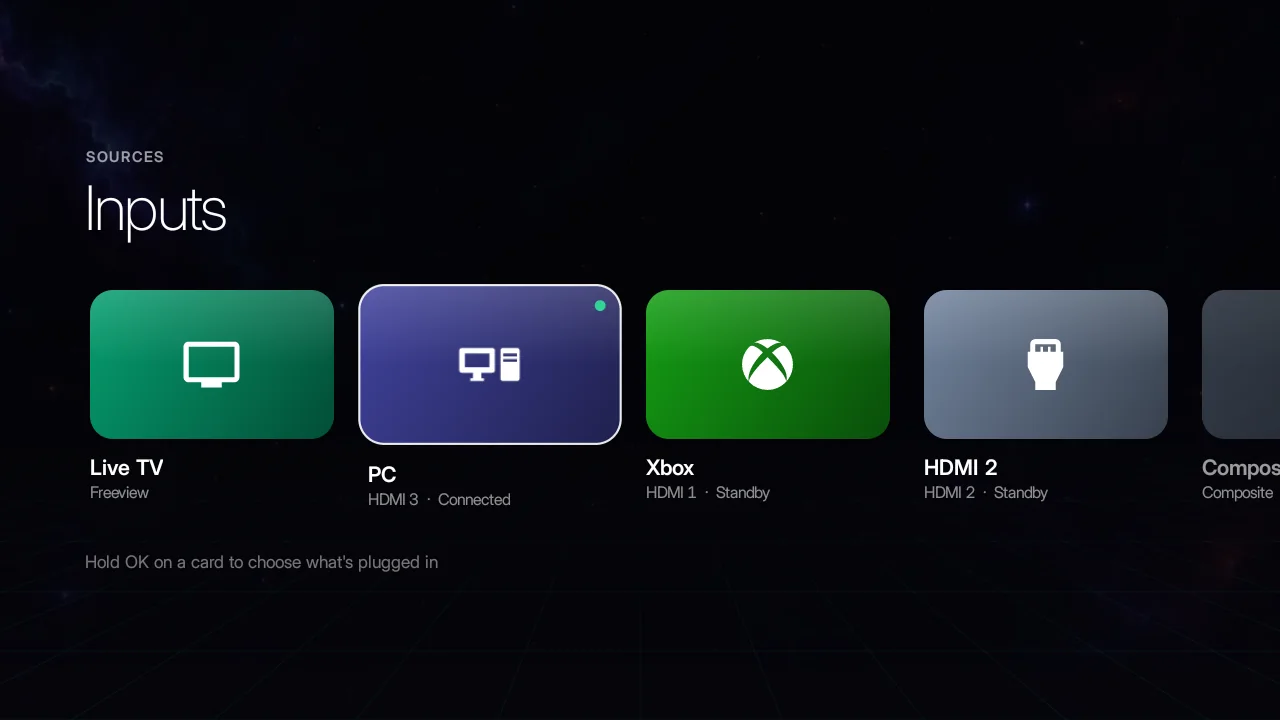
Xbox, PC, Fire Stick or Live TV with one press of the remote’s Input button. Nexus TV shows which HDMI is connected and lets you name each one.
Link the TV to your NexusHub account by scanning a code with your phone. No typing passwords with a remote. Football scores, racing results, Nexus Cinema and the Soundboard open in a clean TV view.
Link a TV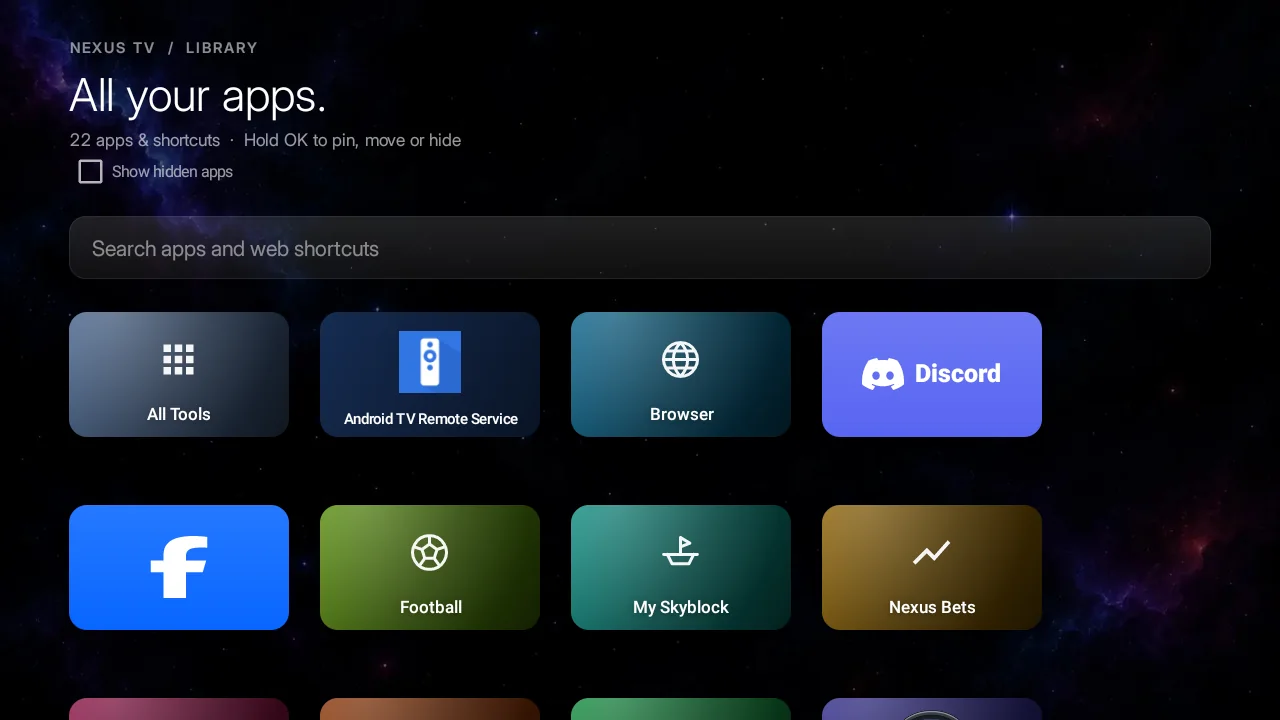
Nexus TV isn’t on the Play Store yet, so you add it yourself. You only do this once.
On your TV, open the Google Play Store, search for Downloader (by AFTVnews) and install it. It’s free.
Go to Settings › Apps › Security & restrictions › Unknown sources (on Google TV: Settings › System › About, press Android TV OS build 7 times, then Apps › Security › Unknown sources) and switch on Downloader.
Open Downloader, type nexushub.diy/tvapp and press Go. When it finishes, press Install, then Open.
In Nexus TV, open Settings › Link Nexus account. Scan the code with your phone or go to nexushub.diy/tv/connect. No account? You can make one free on your phone.
Want Nexus TV to open when you press Home? That part is optional and differs between TVs; on many it needs a computer. See how. Prefer a computer from the start? With USB debugging on: adb install nexus-tv.apk.
Android TV and Google TV 8.0 or newer: Sony, Philips, TCL, Hisense, JVC and Toshiba Android sets, Chromecast with Google TV, and Nvidia Shield. On Fire TV it runs as an app, but Amazon doesn’t let it replace the Fire TV home screen. Samsung (Tizen) and LG (webOS) TVs can’t run Android apps.
Yes, it’s free, and the home screen works without an account. Linking a NexusHub account adds your name and picture, and keeps your TV settings safe if you set up another TV.
The TV gets its own key that only shows your name, picture, membership and Nexus TV settings. It can never see or change your password, payments or messages. You’ll find every linked TV in Settings › Password & security › My TVs, and Unlink signs it out straight away. Unused TVs are signed out after 180 days.
Some TVs ask which Home app to use the first time you press Home after installing. If yours doesn’t, Google’s own launcher has to be switched off from a computer with ADB (adb shell pm disable-user --user 0 com.google.android.tvlauncher). Only do this if you’re comfortable, and keep the undo command: adb shell pm enable com.google.android.tvlauncher.
To update, install the new version from nexushub.diy/tvapp over the top; your layout and settings stay. To remove it, go to Settings › Apps › Nexus TV › Uninstall. If you switched off the stock launcher, switch it back on first.
It’s coming. Google needs extra checks for home-screen apps, so for now it’s a direct download signed by NexusHub. Only download it from nexushub.diy.
Type the code your TV shows, or scan it with your phone.